

Install Restate Server & CLI
Restate is a single self-contained binary. No external dependencies needed.- Homebrew
- Download binaries
- npm
- Docker
http://localhost:9070) after starting the Restate Server.
Lightweight local dev server
Lightweight local dev server
You can use
restate up to start a lightweight, local dev server.Random ports
Random ports
You can start The chosen ports will be displayed in the first three standard output lines.
restate-server binding to random ports via:Restate Server collects anonymized telemetry about versions and uptime via Scarf.
We don’t have access to your IP or any information about your cluster. To disable, set
We don’t have access to your IP or any information about your cluster. To disable, set
DO_NOT_TRACK=1.Restate UI
The UI is bundled with the Restate Server and available at http://localhost:9070 when running locally. Use the UI to manage, debug, and configure your applications.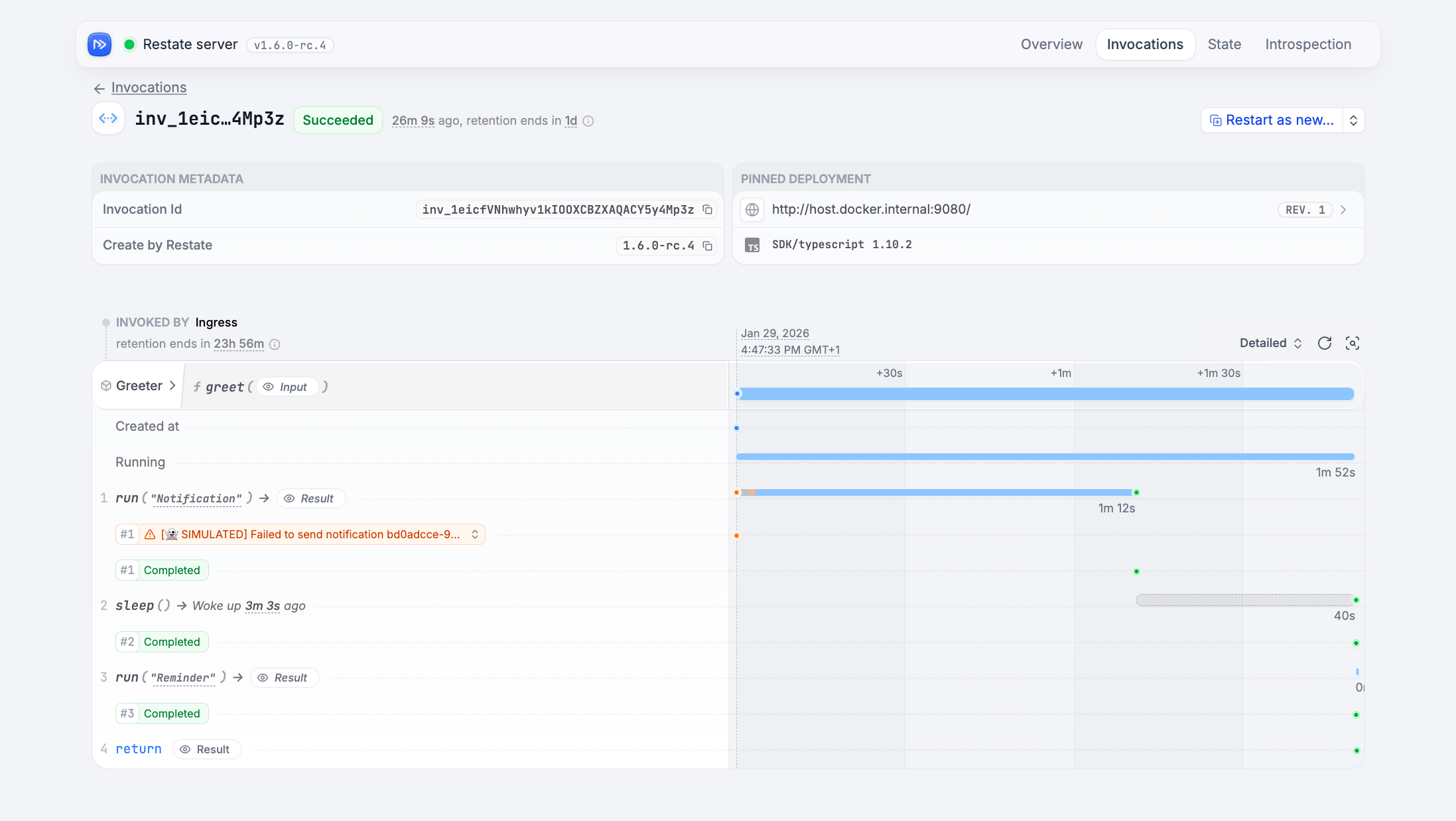
Useful CLI Commands
With the CLI installed, try these commands:Check which server you are connected to
Check which server you are connected to
Register a new service deployment
Register a new service deployment
(If using Docker, use
http://host.docker.internal:9080)List deployments
List deployments
List invocations
List invocations
Cancel/kill a single or batch of invocations
Cancel/kill a single or batch of invocations
restate invocation kill to force kill.Clear the K/V state of a Virtual Object or Workflow
Clear the K/V state of a Virtual Object or Workflow
Wipe the server during local development
Wipe the server during local development
Remove the
restate-data directory to wipe all invocations, state, registered services, etc.Execute a SQL query on invocation or application state
Execute a SQL query on invocation or application state
See SQL introspection docs for examples.
Use
--json for JSON output.View your service configuration
View your service configuration
Advanced: Installing restatectl
restatectl is a command-line tool for managing Restate clusters. It provides commands for cluster management, introspection, and debugging.
This tool is specifically designed for system operators to manage Restate servers and is particularly useful in a cluster environment.
- Homebrew
- Download binaries
- npm
- Docker
Install with:Then run:
restatectl requires direct access to nodes via their advertised addresses (default port: 5122). Ensure that restatectl commands can reach these addresses.